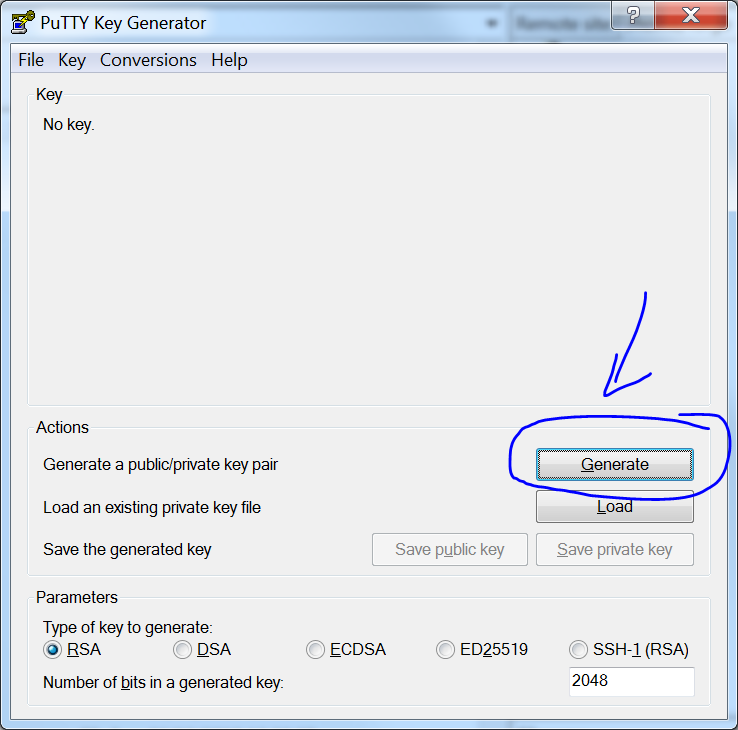
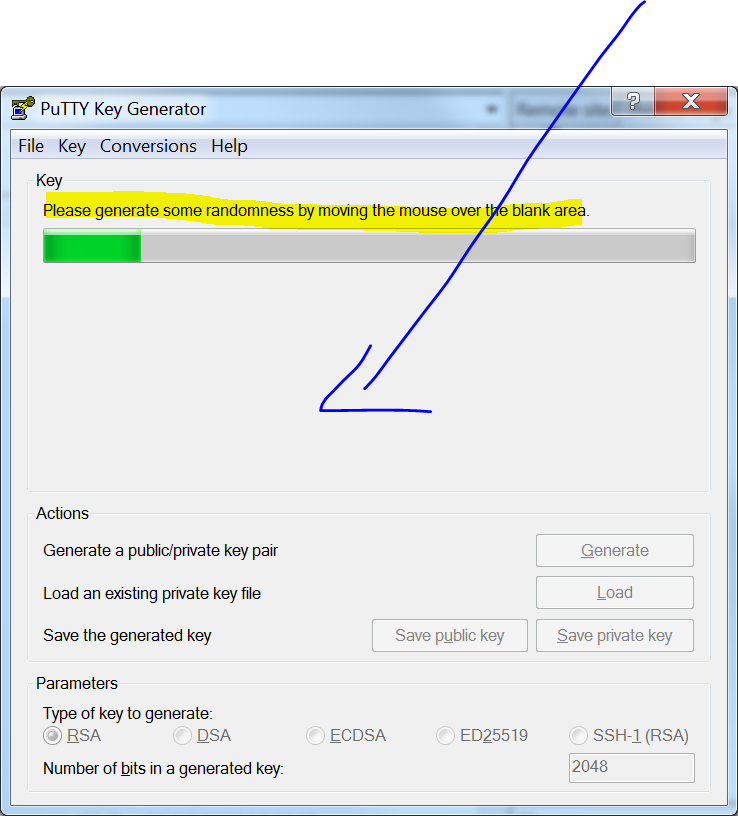
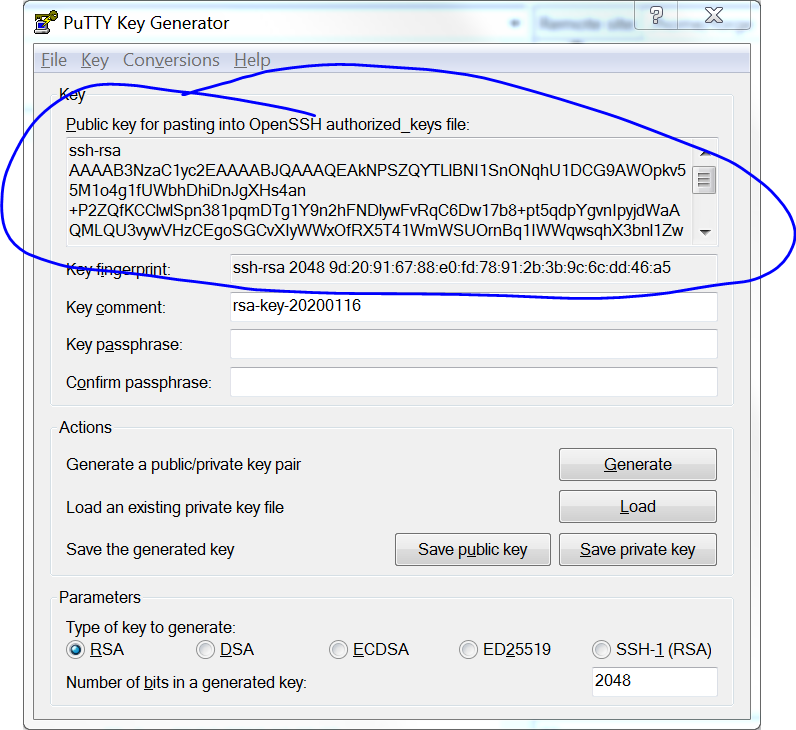
Access your LEMP server from Windows using PuttyGEN and Filezilla.
Real servers don’t use passwords, they use certs to control access. So you want to get access to work on your WordPress file system, because maybe you’ve blocked access to your admin panel with a bad plugin? Read on how to do that.
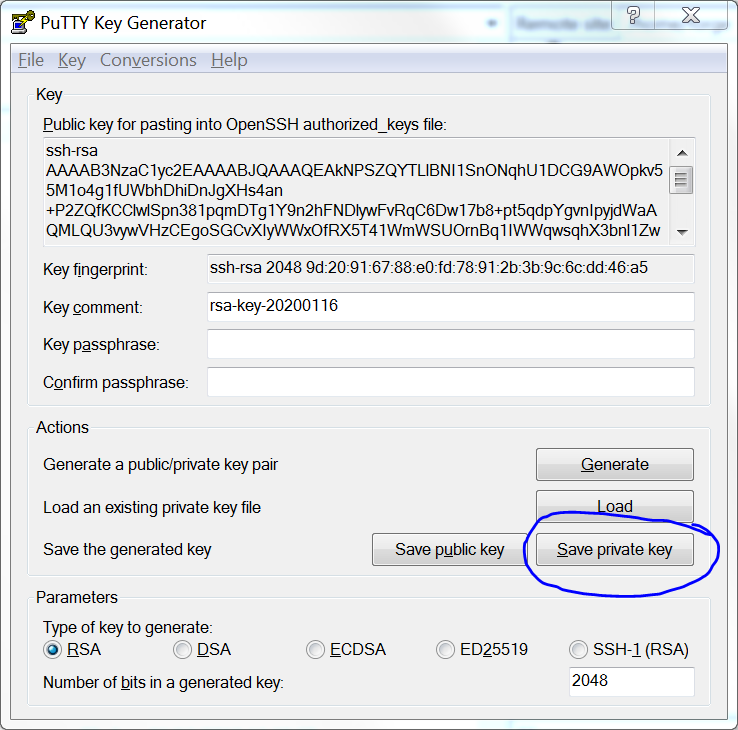
5. Save the PRIVATE KEY for later use with FileZilla
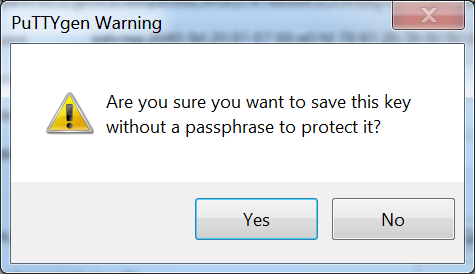
6. Decide if you want to password protect your private key. If you don’t make one, click no.
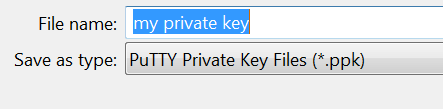
7. Save it somewhere it’s safe
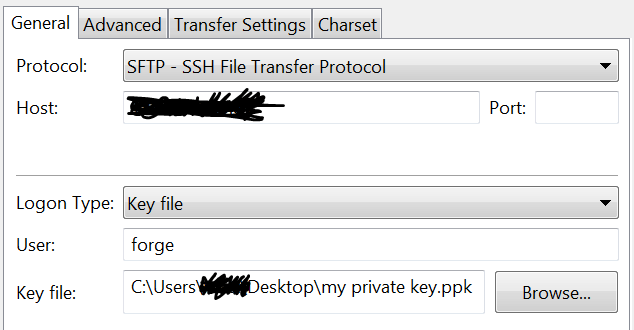
8. Setup Filezilla connection with SFTP, keyfile type logon, your hostname and user
Connect to your server and do what you need to do, but remember it’s very easy to break things. If you’re doing serious development work consider using version control and an IDE.
Page builders like Nimble Builder and Visual Composer (now WP Bakery) can help you make beautiful layouts for your website.
Using templates in your page builder can maintain design consistency and save time – in this video we show you how to use this in the Hueman Free theme to do just that.
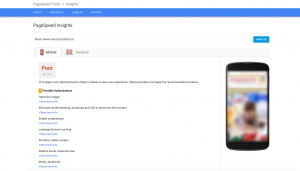
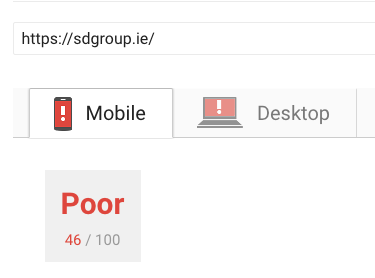
Site speed is important for SEO, but can be hard to achieve in WordPress. One of my favourite tools for site is the Google PageSpeed Insights tool – who better to tell you what your site needs to be SEOed? So let’s take a look at our client’s brand new WordPress site:
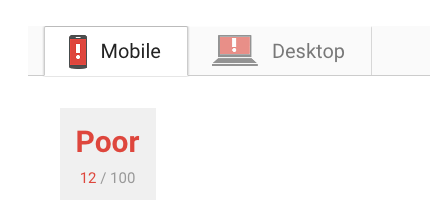
It’s not the worst page speed I’ve ever seen. But it’s not far off the worst.
The worst PageSpeed score possible – zero %
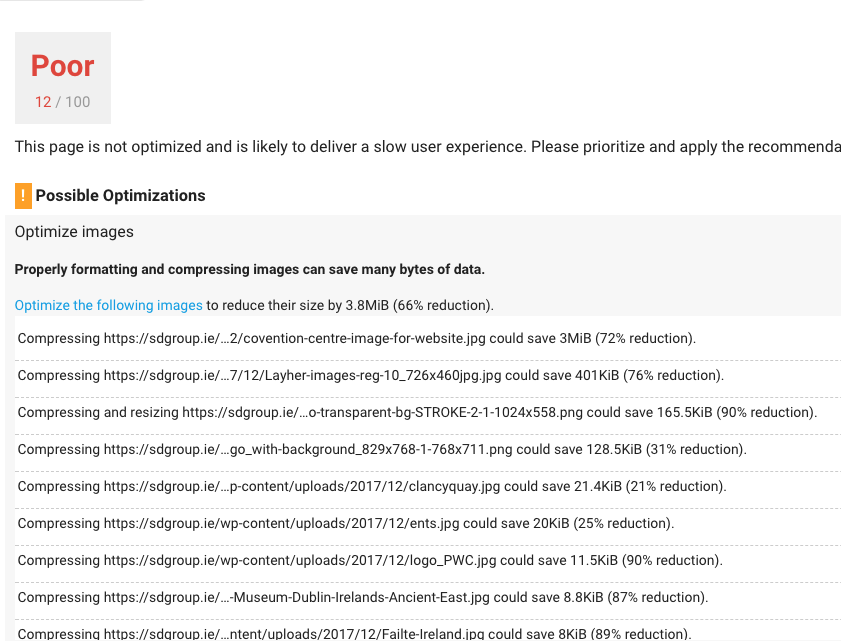
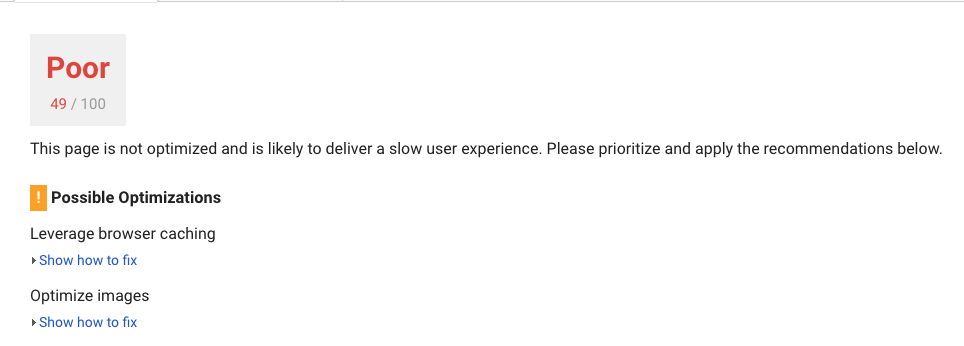
but this site does need some work. Fix the biggest problems first. A common cause of problems is image size, and that’s what’s happening on this WordPress site:
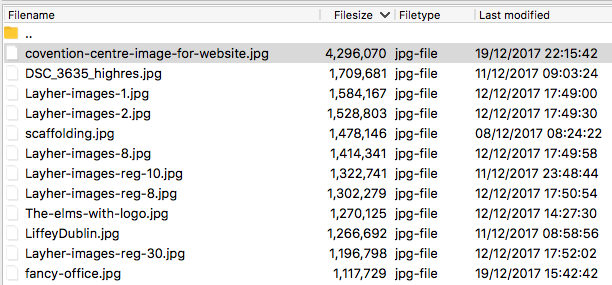
The top four account for the lion’s share of the image size. Let’s take a look in the directory, because we’ve only looked at one page (the homepage), but the whole site needs to be optimised.
There are plenty of big images. This can happen when a graphic designer is uploading unoptimised images. They focus on image quality, and tend not to think about filesize and performance.
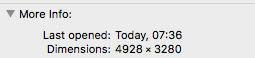
Let’s take a closer look at the biggest file:
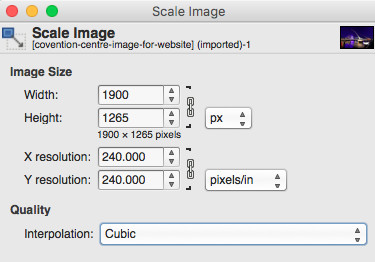
That’s a bit big. Let’s get it down to something that won’t eat up all the bandwidth quota of a visitor’s data plan. It’s a big homepage image slider, so it still needs to be big enough to look good.
We scaled it down to 180kb. Let’s see the effect on the site speed tool.
We got the size down from 540kb to 82kb! What does Google think?
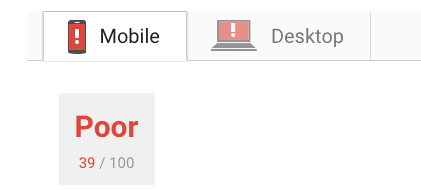
We’ve jumped 7 points on the scale, and we’re approaching half way there! Let’s do all the rest that google flagged, and see what happens. First the jpegs…we could A) optimise each one individually to check for artifacts, or we could B) batch compress.
Anyway, on with optimising.
The logo is problematic – it’s HUUUGE. Let’s fix this and see what Google thinks…
We’re nearly half way there, but even better – images aren’t our biggest problem anymore, which is great. Time to dive down into the code.
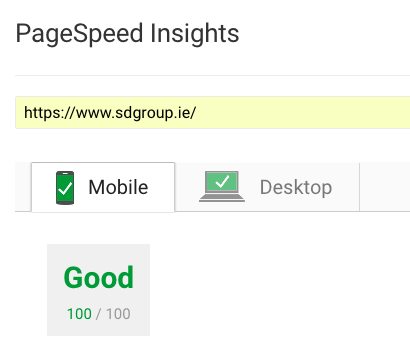
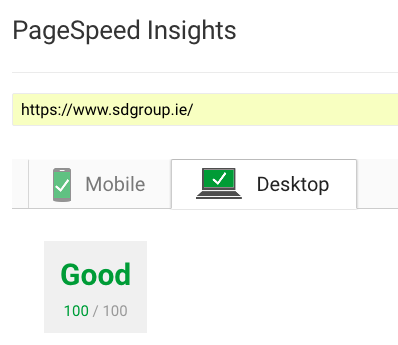
We move onto the server / code optimisation, and we bring the WordPress site to 100% optimised.
100% score for WordPress on Google Insights – Mobile
100% score for WordPress on Google Insights – Desktop
We’ll be posting more on code optimisation in a later post.
Do have a WordPress Website that needs a speed boost? Sort out your images first! If your site is transactional, and you need to optimise your revenue get in touch. or leave your questions in the comments.
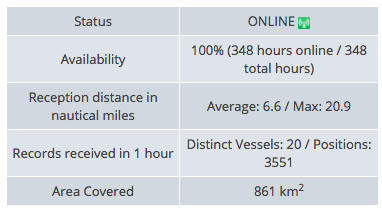
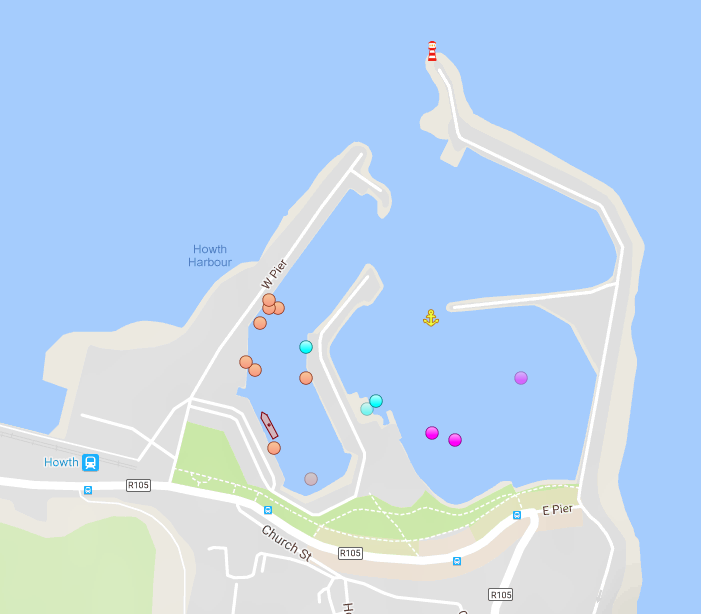
The manager at HYC, Paddy Judge is a former pilot and aircrash investigator – knows where to site an antenna and working with the IOT team in Vinyl Matt Media to get some fantastic coverage.
Position tracking for marine vessels.
The results were so good that the nice people at marinetraffic.com gave a us a ‘pro’ level account a few weeks early, and we look forward to forward to seeing the value that their suit of tools adds to HYC’s operation.
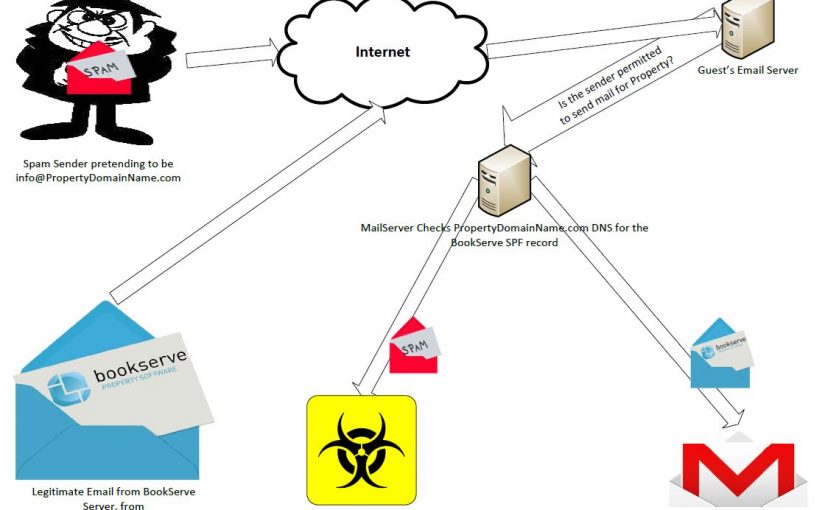
BookServe, the online reservation software, does a great job of keeping you in touch with your customers.
But to do that you need to make sure your guests’ email systems know to expect mail from YOUR domain ([email protected]) from the BookServe server.
Want to make sure your emails are getting through from BookServe to your guests?
First make sure you have control of your domain’s DNS settings. If this sounds difficult, don’t worry, your Web Developer can help.
DNS Changes. Need careful handling.
Then you need to edit the SPF record. The SPF is a type of DNS record. You can read about SPF here,
If it’s your first time at the DNS rodeo don’t try this without your Web Developer. An incorrect change can bring your site and email down, and it can take hours to fully recover.
An SPF record is a particular type of TXT record This is an example Register365 mail record for a BookServe customer.
The part ip4:109.74.198.82 refers to a BookServe server.
It tells the Internet ‘Hey, all these servers can send mail for @PropertyDomainName.com
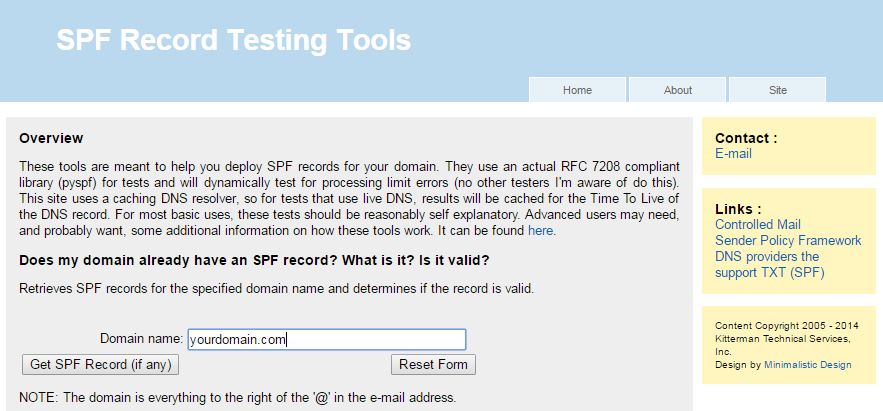
Once you’ve setup the SPF, it should be tested. The good people at Kitterman Technical Services, Inc. have an <a href="http://www.kitterman.com/spf/validate more helpful hints.html” target=”_blank”>excellent tool for this. Don’t get caught out. Test.
Things are picking up and it’s back to business: selling hotel rooms to visitors. But margins are tight, and 20% booking fees are a luxury no one can afford. Competitors are all offering online booking and they’re undercutting you. And then there’s AirBnB to compete with. What to do?
Easy: Take control of your own web presence!
You can easily run your own online presence, and you’ll be surprised how quickly the bookings start coming in. Read on to find out how.
1. Get yourself a Local Website Designer
Gone are the days when you needed to go to Silicon Valley to get one of those website thingys made.
It’s best to use local content for local websites.
Get a local web developer to create a modern, responsive (that means mobile friendly) website. Big agencies can be expensive and lack the local content imagery and linkages that make for engaging content and Organic Search Success.
Go local. You can have a website for a few hundred euro with local support. Perfect.
2. Take Really Good Pictures
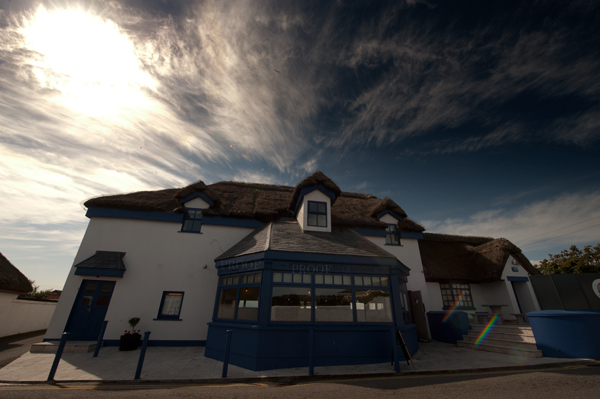
Exterior Photo of Property should feature on homepage of site.
Gombeens naturally assume that their customers are telepathic and because they know what their premises looks like, so will their customers.
So don’t get caught: make sure you have really good pictures of your property. You’re going to need them again and again.
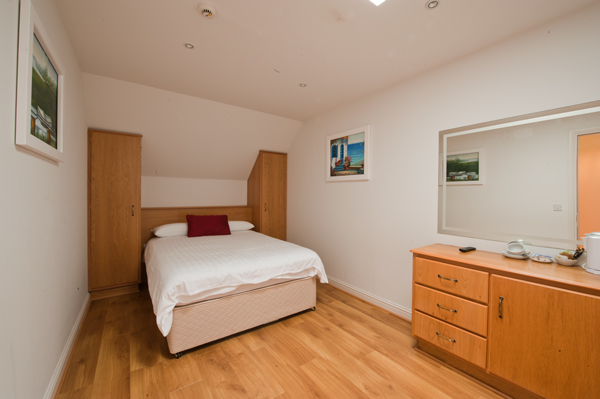
Get good photography of all the room types you have. Show off the features. Good imagery sells.
3. Right image, right place.
A 14mm lens on a full frame camera will show off a small room to its best. Don’t forget to use a tripod.
You want more bookings through your website, right? Your customers need to see what they are booking.
A Gombeen that expects to be able to use a picture of their bar, car park, or grandmother to sell a room. This is a sure recipe for disappointment.
Show wide-angle images of whole rooms in the online booking room descriptions. These ‘set the scene’ and help convert lookers to bookers.
Be accurate with the room contents when you take the pictures. Don’t sell features that aren’t there.
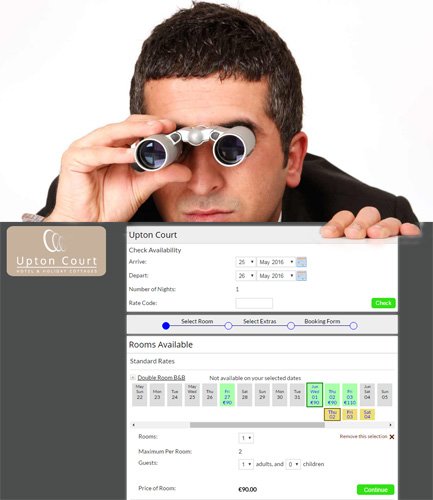
4. Offer online booking.
Enquiry Forms – Unpopular and slow..
If you don’t sell online, you’re losing out to rivals that do. No-one waits for you to come back to an enquiry form.
Be wary of commission heavy services. The cost has to be passed on somewhere, usually in room pricing. This has a tendency to divert bookings into traditional channels, taking up precious staff time.
We recommend our product, BookServe (ahem). You can sign up in minutes.
5. Check the rates in your area
Published Rates are easy to Find
This used to be done by getting your cousin to ring up and ask for a quote. Half the time they knew it was her and quoted her a much higher price, just to mess with you. Now with D’Internet, it’s more straightforward.
Check the rates around and be competitive. If you find you’re getting visits but no bookings, high prices are usually the problem.
6. Consider listing on Expedia
Billboard effect on Room Nights. The green line is the hotel’s own website.
It can be worthwhile to connect to Expedia. Share your excess rooms with Expedia and raise the traffic to your own website with the ‘Billboard Effect‘.
This effect works because visitors use Expedia to make a list of hotels and then look on the hotels’ own websites for direct booking.
It gives a lot of ‘reach’ for very little effort and expense.
Our old photos never quite told the story or brought out <the hotel’s> warmth – Thank you, you have done just that – we are delighted with your work and look forward to a long and happy partnership.